Episode Flyer for #49 Humanizing Your Brand Through Storytelling
This episode features an interview with Ekaterina Walter, a globally-recognized business and marketing innovator, international speaker, an author of the Wall Street Journal bestseller “Think Like Zuck” and co-author of “The Power of Visual Storytelling”.
Ekaterina discusses the importance of brand storytelling for increased profitability and social impact, and how organizations can humanize their brand through storytelling.
Believe in the old adage that nothing compares to the real thing? How about the virtual real thing? That’s virtual reality (VR), the technological phenomenon of the 21st century. VR allows users to perceive real-life experiences through simulated events and objects. The simulations are controlled by body movements, switches, and levers. By wearing a helmet with a screen inside and glove with sensors, a person can jump into another 3-dimensional world using his own projected image, or avatar.
For persons with disabilities, VR has opened doors to scenarios that they otherwise couldn’t experience. They can do anything from walking in the park to climbing a mountain with real-time sensory feedback. For example, when you climb a virtual mountain, you can sense the height or feel the chill as you climb further up. The only thing that’s removed from the experience is the danger of actually falling.
Since VR is heavily based on visual stimuli, people with hearing loss benefit greatly. According to a study done by Bar-Ilan University in Israel entitled Enhancing Children with Hearing Impairments with Virtual Reality , students with hearing impairments improved on spatial, temporal, narrative, and other cognitive skills. In a VR environment, they could match and assemble items correctly. Purdue University also has developed VR programs that allow colorful, animated characters to teach sign language and math to deaf students who can interact with them.
Yet, many VR environments still don’t have options for sign language or captions. A solution is Sign Aloud gloves that allow persons with hearing impairments to sign in a virtual environment. The sensors in the gloves translate finger and hand movements done for sign language into text and speech. Therefore, someone who’s deaf can communicate with another person who can hear in virtual situations.
https://youtu.be/l01sdzJHCCM
Another barrier in VR environments is audio cues. For instance, a VR tour of the zoo might sound off buzzers when users approach danger zones. If the user is deaf, he would not hear it. A possible solution is vibration feedback. So if you start feeding peanuts to apes in the virtual zoo, you’d get a vibrating warning from the VR glove.
These same advantages and disadvantages that persons with hearing impairments have are exactly the opposite for individuals with vision disabilities. Since VR is saturated with images, persons with vision impairments face major obstacles. Most VR environments are not compatible with screen readers or have audio descriptions to describe the action. However, IBM’s Human Ability and Accessibility Center developed a web-based interface that acts as a screen reader for a VR platform called Second Life, which is a virtual world. Still, 40% of Second City’s objects aren’t labeled correctly for the screen reader to access them. Second Life also provides a virtual guide dog that helps the avatar navigate the environment and make queries.
VR even can make partially blind individuals see clearer. By wearing HTC Vive headsets, they can see images with well-defined outlines and crystal-clear colors. Having every image appear in both lenses centimeters from the person’s eyes allows this technological phenomenon to occur. It lets people with degenerating sight regain their livelihoods. For instance, an architect with maculate degeneration could design again donning the Vive headsets and gloves on a VR desktop.
VR also is opening doors for persons with mobility impairments. By being in VR environments, they can access places and participate in activities that they are otherwise unable to in real life, as mentioned earlier in this article. VR also can help them improve their ability to walk and use their hands without any danger. For instance, a person who had a spinal cord injury can learn how to walk without sidebars in a virtual shopping mall while actually being in a physical therapy office. Consequently, the patient doesn’t have the risk of falling.
Just as in real life, VR environments can present obstacles for persons with mobility impairments. Because most VR headsets gauge head heights, persons in wheelchairs may be unable to interact in a VR environment. Some accommodating headsets exist, however. HTC Vive, for example, has sensors in the headset to determine the head height of the person. While HTC Vive can be ideal for gaming settings, it can’t work for scaled environments in VR. Persons in wheelchairs may view everything like a five-year-old kid looking from a high window and, consequently, can’t interact with virtual objects. For example, suppose the VR environment is a kitchen and the cupboards are too high for people in wheelchairs to reach. Like an actual kitchen, a virtual one also has to be accessible by lowering the cupboards.
Persons with mobility impairments also may have difficulty maneuvering VR inputs like joysticks, knobs, and fine motor control that is required for gestures in VR gloves. If the person can speak, then voice control to interact with the VR environment is the solution. Google Glass introduced the concept with voice control capabilities Referring back to the virtual kitchen example, an individual who can’t move her hands still can cook virtually by issuing such commands as “Put the red pan on the second burner of the stove, and turn the knob to 3.” If the person with dexterity difficulties cannot speak, then eye gaze technology could be utilized. Users could maneuver virtual objects using stares or blinks. For instance, picking up a virtual pan could involve staring at the pan to grab a hold of it, blinking to lift it, moving your head to transport, and blinking again to place it on the stove burner.
VR also can help persons with cognitive disabilities. Specifically, it can prevent individuals with attention deficit hyperactivity disorder (ADHD) from distractions since their senses are contained in the VR environments. It is ideal for studying or taking tests since they can’t see birds flying outside or hear other people talking, for example. Additionally, VR can help persons with Asperger’s Syndrome improve their socialization skills. Interacting with other avatars eliminates stress and intimidation that they encounter with real people. Over time their brains become “re-wired” by the VR interactions that they start acting the same in the real world.
Virtual reality continues to open doors in every aspect of life, from education and training to employment and socialization. As it becomes more prevalent in society, it will help persons with diverse abilities become further integrated or feel more able to do things that they never thought they could do.
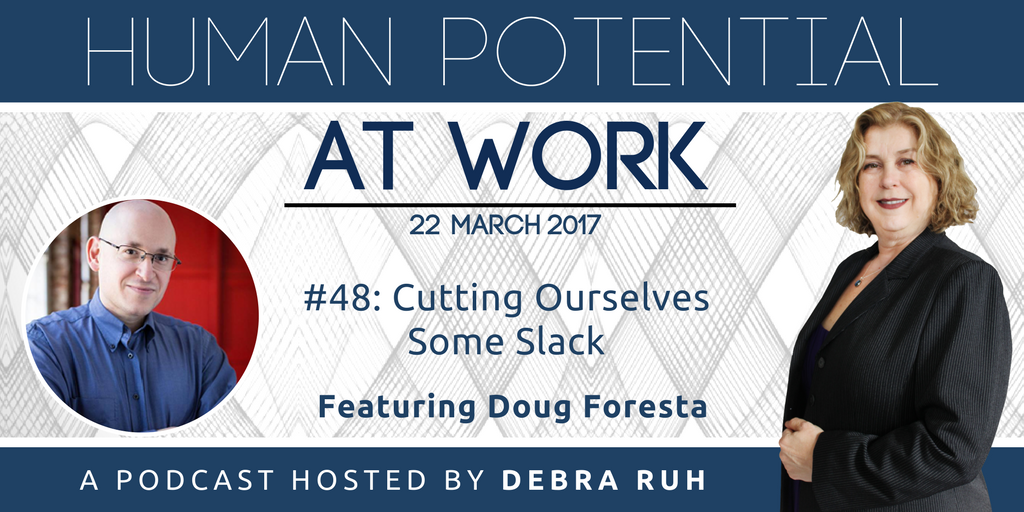
Episode Flyer for HPAW: #48 Cutting Ourselves Some Slack
Debra and Doug discuss a recent viral video and the response to it, and the connection to “cutting ourselves some slack.” Debra shares her perspective and advice on how to have more compassion for ourselves and others and what to do when things don’t go as planned.
Episode Flyer for #47: How Strengthening Democracy Helps Unleash Human Potential
This episode features David Carroll, Director of Democracy at the Carter Center, and Avery Davis-Roberts who manages the Center’s Democratic Election Standards Project. David and Avery discuss why strengthening democracy matters, some of the biggest challenges when it comes to building democracy and the connection between democracy and human potential.
In this episode Doug and Debra discuss the importance of taking care of ourselves, tips on how to do that, and the connection to human potential. Discover a simple but powerful exercise for changing your mental state from negative to positive, and also how to notice when you are going into a “flight or fight” response.
Although I’ve been communicating with a manual communication board with letters and words since I was eight, speech therapists have been trying to help me use electronic augmentative assistive communication (AAC) devices. I had never been thrilled with the idea until recently.
Back in the 1980’s, AAC devices had robotic sounding voices that some people couldn’t even understand. The voice made me sound like a teenager from outer space. Now synthesized voices are much more human sounding. Some voices actually would make me sound as I should sound—a sexy woman speaking.
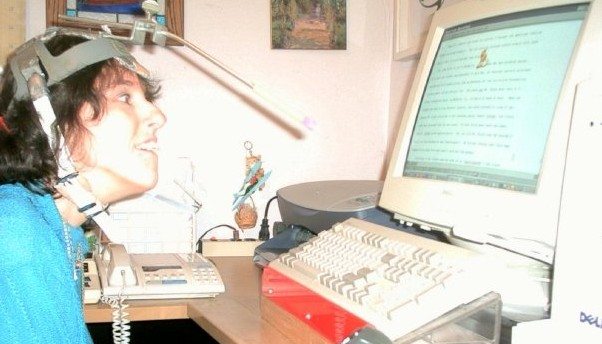
Additionally, since the idea was to use the AAC device away from home, I didn’t (and still don’t) want to use the headpointer out in public for aesthetic reasons (Wearing a helmet with a protruding stick makes me look like I belong in Star Wars!). So, I used my thumb knuckle, which I use to point on my manual communication board, to access buttons on the first AAC device I tried when I was in grade school. When I targeted a single button, I pressed several others with the rest of my hand.
Rosemary Musachio using a head pointer
The idea of AAC devices went on the back burner until I started attending college. Since I didn’t have aides as I did in grade and high school to voice what I pointed to on my manual board, I had to find a way to communicate independently. The Cleveland Hearing and Speech Center set me up with a Light Talker. Each button on the device could be activated with an infrared light. Because I couldn’t hold and manipulate the infrared light pointer, a rehab engineer created an iron-like object that I would drag across the surface and stop at the icon I wanted. Tapping two picture icons were required to say a phrase. For instance, I had to activate the SUN icon and the ELEPHANT icon to say, “I’m happy to meet you.” The Light Talker required users to have photographic minds to memorize all those combinations.
Light Talker
Often the Light Talker stopped working, sometimes in the middle of my forming a sentence. I would look helplessly at my listener until he or she finally understood that the stupid thing died. This would also happen when the plug came out of the pointing device. I used the Light Talker only at school, not at home. Therefore, my manual communication device still was more effective for my personal interactions.
Over the years I’ve tried other AAC devices without avail. I tried scanning where the cursor goes through words or letters. When I wanted to select something, I’d hit a button with my hand so the cursor would stop on an item. Stephen Hawkins uses this method to communicate and operate the computer. Scanning is not for me, however. Either the cursor went too slow that I would forget what I was trying to say in the first place, or it went too fast so I felt like Lucille Ball, working on an assembly line in an “I Love Lucy” episode.
I’ve also tried the eye gaze method. I became excited about it because I assumed it was easy to use. I mean, you stare at an item to activate it through infrared. Well, it isn’t that simple. Your eyes have to be calibrated first. In other words, the device has a camera that takes an image of your iris position so it knows where the infrared light is reflected. If you move your head a lot—as mine usually does–the device continues to recalibrate, causing you not to activate the correct item. Besides not keeping my head steady, I also have one lazy eye that made calibration difficult. Consequently, practicing to use the eye gaze device made me frustrated and tired. Nevertheless, new eye gaze systems have been developed that supposedly improve calibration. I still may try one soon.
Tobii EyeMobile Eye Gaze. Image from www.slashgear.com
Currently, I’m trying the “dot” system on a ChatFusion device. This device still uses infrared. Instead of using my eyes to activate the device, I use an adhesive dot. You can stick the dot anywhere on your body that has the most control and best target position to activate buttons on ChatFusion. I stick it between my eyes since that position allows me to follow the cursor on the screen in relations to my head movement. If I wrinkle my nose, my target range becomes skewed.
Unlike the other devices I’ve used, ChatFusion using the infrared dot has worked so far. Head movements do not have to be calibrated constantly like eye gaze systems. The device can be set according to how much “dwell time” you need to hover over an item to activate it. The device—and it goes with any device—should be positioned correctly so the user can access any item on the screen. For example, if I sit too close, I may not be able to target items at the bottom of the screen well.
Chat Fusion 10. Image from www.Saltillo.com
ChatFusion works better also because I’m investing more practice time. Practicing with someone who I can use the device with to converse engages my attention more than practicing alone. During my practice sessions, I keep telling myself to relax; otherwise, my head becomes one of those bobbing toys in the back of a car. Additionally, I become conscious of how I approach each item with each movement. If I make the cursor slides onto an item from the bottom rather than targeting it in the middle, my head is steadier. The downside is that I may activate other items that I don’t want in the process.
Learning to use an augmentative device takes patience and practice. You need to pace yourself. If you get too tired or frustrated, you need to stop and restart at another time. After 30 minutes using ChatFusion—or any other AAC device—I start losing concentration and my head movements become more random. At this point, I even compose sentences like someone from another planet.
Clearly, my attitude towards electronic AAC devices has changed. Since AAC technology has advanced from 1970’s, I know I will be using a device that will allow me to communicate independently in business and social situations. It may not be Chatfusion; it may be a better eye gaze system or even a brainwave AAC. Once I find the right AAC device and access method, I probably won’t stop talking.
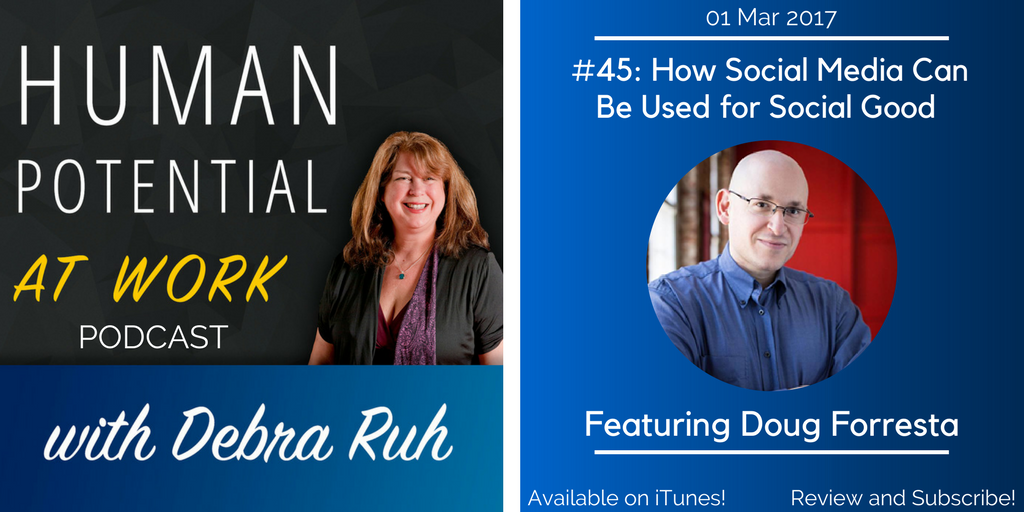
Episode Flyer for EP #45: How Social Media Can Be Used For Social Good
Doug Foresta, producer of Human Potential at Work, joins Debra for a conversation about the benefits of social media, and how social media can be used for great social good. Debra shares why and when she first came online, and the first social media platforms that she used. Discover how to choose the right social media platforms for you, and how to use social media for positive social change.
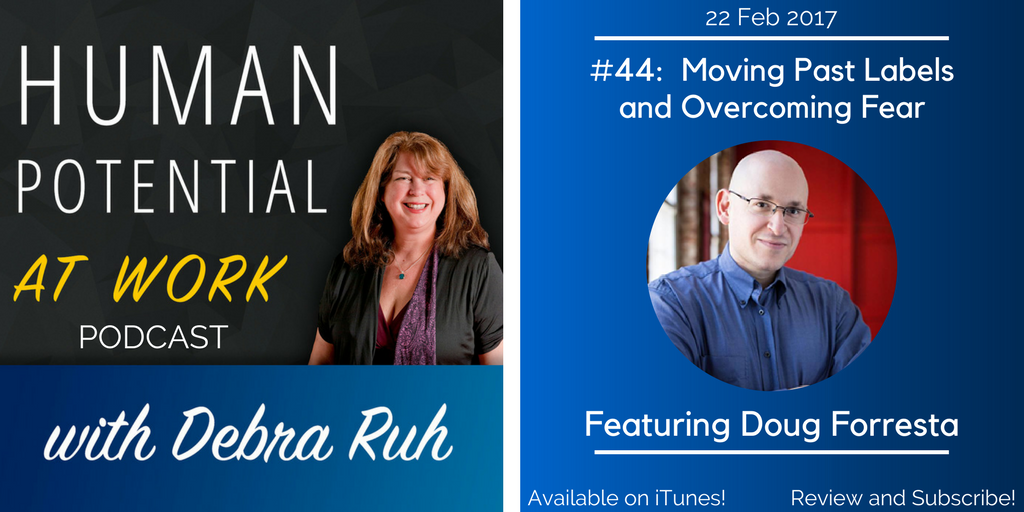
Episode Flyer for EP #44: Moving Past Labels and Overcoming Fear
Debra discusses her recent experiences trying to get counseling for her daughter, Sara, and the lessons about labels and fear. Debra and Doug Foresta (the show’s producer) explore how labels get in the way, and how we begin to overcome fears and limiting beliefs.
On January 19, 2017, the United States Access Board issued a final rule to make Section 508 Refresh official. The landmark regulatory update will become effective March 20, 2017. Therefore, until the latter date, federally created information and communication technology (ICT) still has to comply with Section 508. Federal agencies and contractors will be required to comply with Section 508 Refresh starting January 18, 2018.
Section 508 Refresh has climbed a bureaucratic mountain. Since its conception in January 2008, Section 508 Refresh has been changed more than a baby’s bottom. It has gone through several updates and delays. To help it remain at its peak, we need to know how to comply with its revised sub-provisions and reap its benefits.
If you wish to examine the new rule, you can read the full text of Section 508 Refresh. Otherwise, Ruh Global Communications’ Chief Accessibility Officer, Rosemary Musachio, will brief us on Section 508 Refresh.
Photo of Rosemary Musachio
Debra: So Rosemary, what will Section 508 Refresh mean for federal entities who are already following the original Section 508?
Rosemary: If your ICT already complies to the original Section 508, you’re off to a great start. In fact, you’re off the hook! Section 508 Refresh has a “Safe Harbor” clause that states if your existing, or “legacy”, ICT already complies with Section 508, then the technology doesn’t have to meet the new provisions. “Legacy” is defined as any ICT product bought, created, or maintained before January 18, 2017.
Debra: What if a legacy product has updates? What should be done then?
Rosemary: For legacy products that have been updated (e.g. webpages) after January 18, they have to meet Section 508 Refresh standards. Similarly, if your legacy ICT doesn’t comply with Section 508, then you would need to abide by the Section 508 Refresh standards, just like all new ICT that’s federally based. “Federally based” used to mean federal departments, agencies, and federal contractors. Yet, Section 508 Refresh has a clause that may broaden that category:
“Public-facing content refers to electronic information and data that a Federal agency makes available directly to the general public.”
So, if a school or hospital, for example, is federally funded and maintains “public facing” content (i.e., websites, Intranets), then the content could be required to be Section 508 Refresh compliant. You should confirm this with your administrator.
Graphic of an alarm clock next to section 508 Clipboard Image from WWW.SITEIMPROVE.COM
Debra:If you’re a federally government entity or contractor who has or will develop products after January 18, 2017, you must comply with Section 508 Refresh by next January also, correct?
Rosemary:Yes, federal government entities who create new ICT have eleven months or so to comply with Section 508 Refresh. Familiarity with the original Section 508 and Worldwide Web Consortium Web Content Accessibility Guidelines 2.0 (WCAG 2.0) will make compliance with the new law easier. Additionally, knowing how Section 508 Refresh affects each ICT category and assistive technology will make compliance a breeze!
Debra: True, Rosemary. Section 508 Refresh includes a broader range of ICT within a more concise set of regulations that should improve the compliance rate and, therefore, accessibility.
Rosemary: When I test products for Section 508 compliance, I have been citing Section 508 1194,22(l) or the software sub-provision 1194.21(a) for keyboard accessibility on websites. Or if there’s a webpage within a software application, I usually had to complete 1194.21 Software and 1194.22 Web for the Voluntary Product Accessibility Template (VPAT), along with 1194.31 Functional Performance.
With technology changing by the day, testing against different set of sub-provisions has been tedious and time-consuming. That’s why Section 508 Refresh covers all ICT categories in a swoop. If a printer has a touchscreen with web capabilities, it has to conform to Chapter 4 Hardware and Chapter 5 Software. Its web capabilities would be covered under the 501 General Provision of Chapter 5:
EXCEPTION: Where Web applications do not have access to platform accessibility services and do not include components that have access to platform accessibility services, they shall not be required to conform to 502 or 503 provided that they conform to Level A and Level AA Success Criteria and Conformance Requirements in WCAG 2.0 (incorporated by reference, see 702.10.1).
By directly referring to WCAG 2.0, Section 508 Refresh will cover web accessibility much more extensively than the original Section 508. With the latter, for example, we had to infer that 1194.22(d) meant that headings, lists, and other content had to be structured correctly. Section 508 Refresh’s reference to WCAG 2.0, however, leads us right to Success Criterion 1.3.1, which specifies what structural markup should be applied. Another example is original Section 508 didn’t mention keyboard trap whereas the Refresh’s reference to WCAG 2.0’s Success Criterion 2.1.2 does. Fourteen other new requirements are included in Section 508 Refresh through WCAG 2.0.
Debra: Besides having clear, more specific requirements to make ICT accessible, Section 508 Refresh also clarifies how ICT should be compatible with assistive technology (AT), which helps persons with disabilities access content. The original Section 508 mentions AT in general.
Rosemary:Ironically, AT itself is exempt from conformance. But yes, Section 508 Refresh does specifies features of AT. For instance, in Chapter 5, it mentions “focus cursor”, which is controlled by screen readers and screen magnifiers. In fact, Chapter 5, section 502 is dedicated to the “Interoperability of Assistive Technology”. It defines how ICT content should behave with screen readers and other devices. Interestingly, sub-provision 1194.21 of the original Section 508 confused many people into thinking that “Software” meant the AT itself. So they weren’t remediating products but providing and remediating AT.
Graphic of Section 508 coming out of a loud speaker Image from: WWW.SITEIMPROVE.COM
Debra: So clarifying that it’s the ICT, not the AT, that must comply with the Section 508 Refresh is definitely a benefit. It will make more products, including websites, more accessible. What other benefits will the Section 508 Refresh offer, Rosemary?
Rosemary:Products procured by the U.S. government also could be sold to foreign governments since the Section 508 Refresh refers to WCAG 2.0, which is considered the international standards. The Refresh also mirrors the European accessibility standard ICT procurement, EN 301 549. This harmonization of the Refresh with international standards also will enable the U.S. government to procure accessible products from other countries.
Another benefit from the Section 508 Refresh is more persons with disabilities will want to work for the federal government since it will have products that are more accessible for them to use. With office technology that is more accessible, productivity for government employees will also increase.
Debra: Besides benefitting federal government employees with disabilities, Section 508 Refresh will make federal government websites more accessible so users with disabilities will have access just like everybody else. Thanks very much, Rosemary, for helping me explain Section 508 Refresh.
Rosemary:My pleasure. Hopefully, we’ve made it easier to understand and to implement.
Several years ago I asked my mom’s gynecologist if she could give me a routine pelvic examination. She said she would have to put me under anesthesia to perform the exam because my cerebral palsy would not allow my body to hold still. Although her reply was cordial, it made me feel demeaned, as if I was a second-class citizen. Couldn’t she have her medical assistant hold my legs while she examined me? In fact, that would have been a reasonable accommodation under the Americans with Disabilities Act (ADA).
This is the kind of treatment that women with disabilities usually face regarding their healthcare. According to the Center for Research on Women with Disabilities (CROWD), we have more difficulty obtaining healthcare than non-disabled women. The National Study of Women with Physical Disabilities supports this, stating that we are less likely to have pelvic exams than women without disabilities.
Besides attitudinal barriers, we also face physical obstacles in doctors’ offices and hospitals. For example, when I get a mammogram, I have to become a contortionist. I have to put one arm upright leaning against the mammography unit, hang on to the bar with the other hand, and rest my uplifted chin against the front of the machine. Include the fact that my body has difficulty keeping still and this almost pain-free routine exam becomes a very uncomfortable feat. Not only am I nervous about the mammogram results, I’m also afraid that I’ll bump my face against the machine. My incidents are not unique. Cases exist where women with disabilities were duct taped to mammography machines. Besides the discomfort, an inaccessible mammography machine may cause unreadable x-ray images, for the patient may move and cause one or both breasts not to be x-rayed correctly. Consequently, potential tumors may be overlooked.
Struggles that women with disabilities face regarding healthcare stems from several reasons. (These reasons also can pertain to men with disabilities.) First, many medical professionals are ignorant of who we really are. Some think we must be asexual. Because we cannot walk or we have muscle spasms, they assume we also cannot use our bodies to love others or procreate. So they think our intimate organs do not need preventative or medical care. Some doctors suggest hysterectomies to eliminate the hassle of menstrual cycles, assuming we don’t have the desire to become mothers. If we get breast cancer, we may not be offered reconstructive surgery because many doctors don’t see us as having female bodies but as having disabled ones.
Lack of training also contributes to healthcare issues for us. Take the GYN incident above. If the doctor knew how to give an exam to a woman with cerebral palsy, she wouldn’t have suggested the anesthesia or refused medical care. Medical professionals should know how to gently stretch a woman’s legs if they are spastic or place a woman with spinal conditions in comfortable positions during an exam. These techniques should be taught in medical school. The patient also could inform the medical professional about ways to make her feel comfortable and relaxed as possible while she is being examined.
Financial issues and logistics are other obstacles that women with disabilities have to overcome to receive proper healthcare. Many women with disabilities are on Medicaid and Medicare, which deters physicians from accepting their cases. CROWD reports that even if women with disabilities have private insurance, many insurance companies may not pay for specific prescriptions, procedures, therapies, or assistive devices. As an example, insurance may not pay for estrogen therapy because it is not considered a medical necessity.
Although Title II and Title III of the ADA require medical facilities to have accessible medical equipment, many still are not complying. It is like a double-edged sword. Hospitals and doctors may not invest in such equipment because patients with disabilities are few, while we don’t go to these facilities because they lack accommodations. An accessible gynecological exam table, for instance, that can be lowered for easy wheelchair transfers costs between $4,000 and $10,000. While this is expensive, it can be offset with tax incentives.
27 million women in this country and 16% of the world’s women have some kind of disability. As populations become older and live longer, many other women will develop debilitating conditions. Medical facilities and professionals need to realize women with disabilities are not in the minority. More importantly, they must know that we are needed as daughters, sisters, friends, wives, mothers, and productive members of society. So proper healthcare is vital to help us continue fulfilling these roles.
Yet, the responsibility of obtaining healthcare also lies with us. We should tell doctors, medical assistants, and nurses how they could assist us in receiving the best care possible. If they refuse to comply, then we should seek legal or other public action to ensure that all women with disabilities get the care that they deserve.